 Stride
Training plans that adapt to your pace.
Stride builds a plan around your race, tells you exactly what to run today, and rebuilds the plan when you miss a run. After every run, an AI coach tells you what it meant and what to do next.
Free. No account, no ads, no tracking. AI coaching by Apple Intelligence.

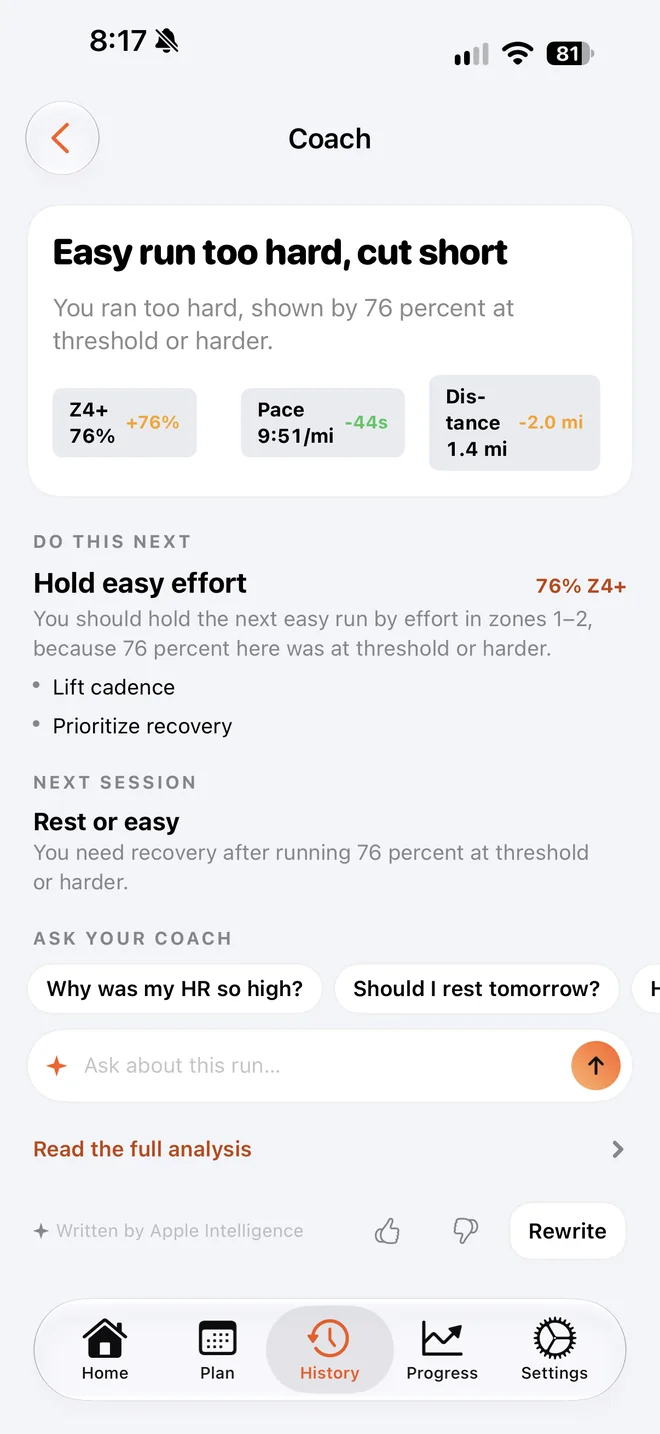
A coach that read your run.
Finish a run and Stride's coach gives you a straight verdict, the numbers behind it, and what to change next time. It compares the run with your plan and with how you usually run, not with a generic chart.
- A verdict on every runWas it on plan, too hard, cut short? One line, then the reasons.
- Ask anything"Should I rest tomorrow?" "Why was my heart rate so high?" It looks through your history to answer.
- Adapts your planOne tap updates your next session from what the coach saw, or reshapes the rest of the plan.
- Daily coach tipsFueling and training tips on Home, written for the week you're actually having.
- Your week in reviewWhat changed this week and what it means for the next one.
- A race planHow to pace race day, from your training and your goal.
The coach runs on Apple Intelligence, on your iPhone or on Apple's Private Cloud Compute, which doesn't keep your data. I never see your runs or what you ask. It works from your own training data, and on iPhones without Apple Intelligence Stride still gives you a plain read of each run.
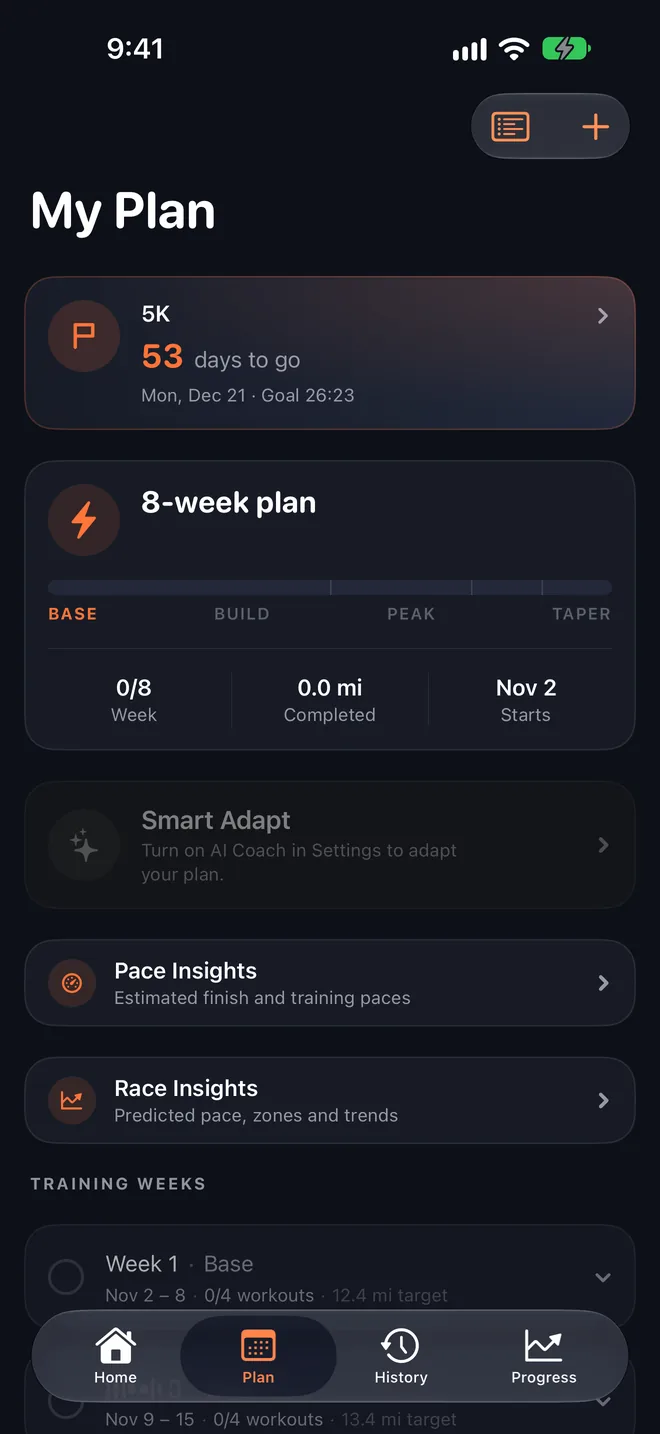
Your plan, built around your race.
Pick a race and a goal time, enter a recent result, and Stride lays out every week from base to taper with paces set from your current fitness.
- 5K to marathon. Base, build, peak and taper, with a countdown to race day.
- Missed a run? Stride notices and rebuilds the weeks ahead around it, so the plan stays one you can actually run.
- Paces that fit. Every session's target pace comes from your recent running, not a table for somebody else.
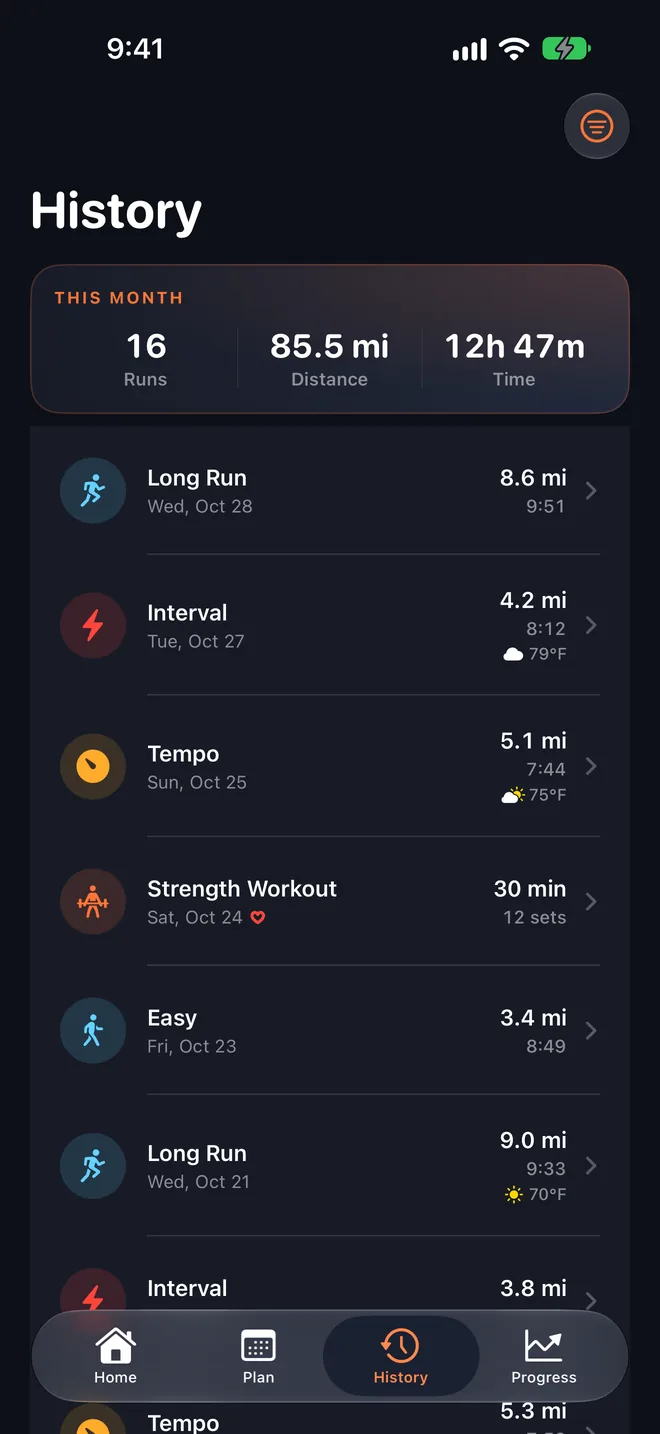
See what every run tells you.
Runs you record in Stride or on Apple Watch, and runs from other apps through Apple Health, land in one place with their pace, splits, heart-rate zones and weather.
- Live tracking with spoken splits, pace alerts and a Live Activity on the Lock Screen.
- A coach's read of each run: how it compared with the plan and with your usual, and what to do next.
- Strength sessions sit alongside your runs.
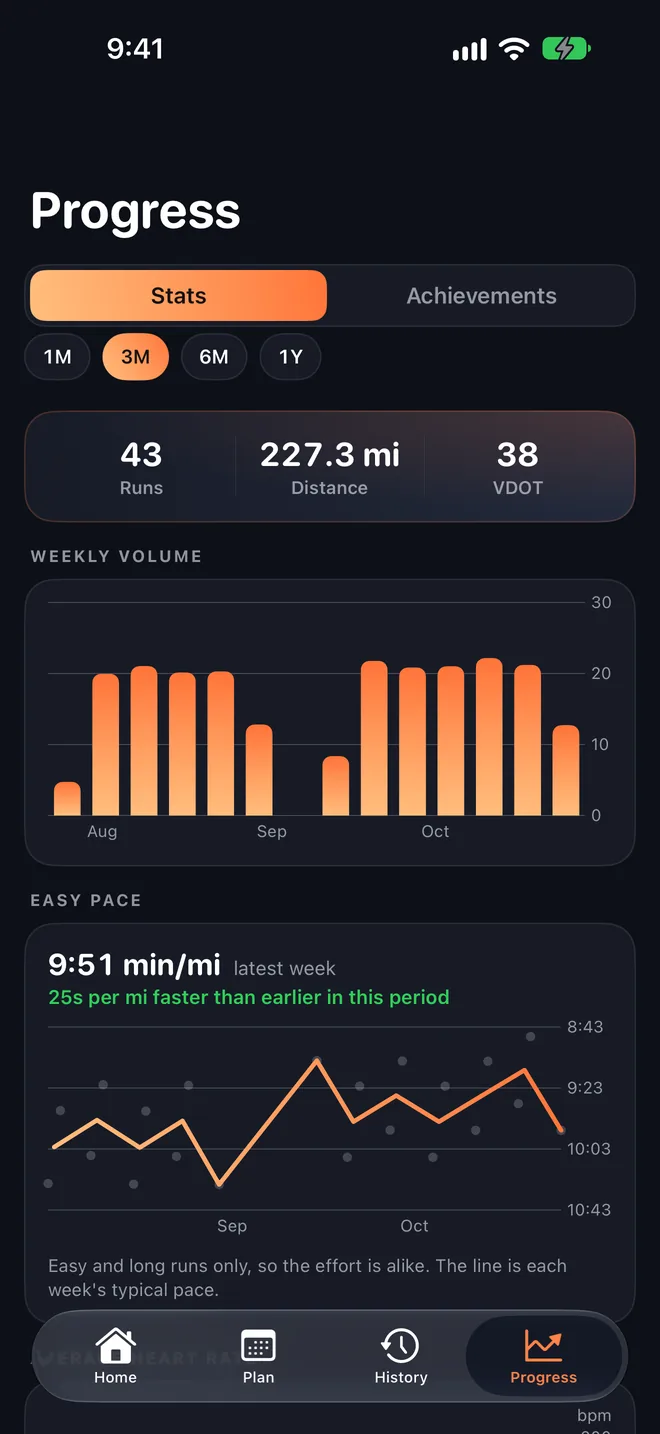
Progress you can see.
Weekly volume, how your easy pace is moving, your VDOT and the badges you've earned, over the last month or the whole year.
- Week in review sums up what changed and what's next.
- Big months and long runs get their own achievements.
Everything a run needs, nothing it doesn't.
Apple Watch
Today's session, your week and your race on your wrist, and a Start button that sends today's workout to the Workout app.
Voice cues
Splits and the next step of your workout spoken in your ear, even with the phone locked in your pocket.
Race day
A race hub with the forecast for your start time and a plan for how to run it.
Weather-aware
Hot day? Stride tells you how much to ease off, with the forecast for your run.
Apple Health
Imports runs from your other apps and saves Stride's runs back, with heart rate and route.
Widgets
Your next session on the Home Screen and your run on the Lock Screen and in the Dynamic Island.
Your training stays yours.
Stride has no account to make, no ads and no analytics. Your runs live on your iPhone and, if you use iCloud, in your own private iCloud, which I can't see. Nothing leaves the app unless you share it.

Coaching that fits your week.
Stride is free on iPhone, with an Apple Watch app included.